
LCE Qt Launcher
- Other Repo:
[!WARNING] This launcher is under development and its features may be modified or removed at any time. Requests for help (PR) are welcome to fix or add features. Please simply adhere to the GPLv3 and the Code of Conduct.
About
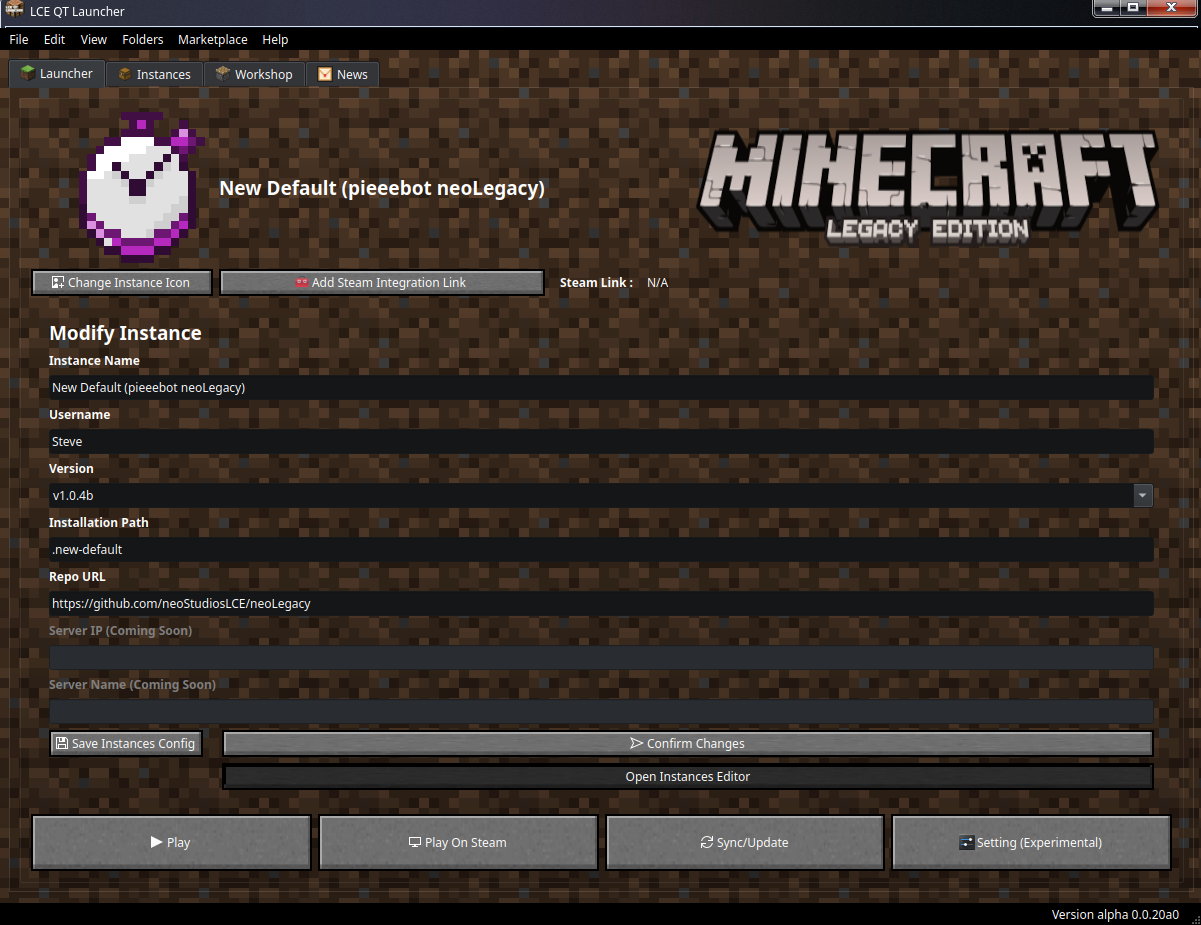
A free cross-platform custom Minecraft LCE launcher, written with PySide6 (Qt6 for Python).
Check out the official LCE Qt Launcher website! 
Why LCE Qt Launcher ?
- Made in Python with Qt 6 : Native Linux theme support and highly customisable
- Integration with Community Tools
- GNU/Linux first class support
- Big Tech free
- Free as Freedom Launcher (GPLv3)
Features
- Command Line interface (CLI)
- Multiple Instances support
- Marketplaces :
- in-app news for the instances
- Availaible in mutliple formats :
- Nuitka Build : Linux and Windows
- AppImage (GNU/Linux only)
- Inno Setup installer package (for the Nuitka build) (Windows)
- FreeBSD port
- Arch Packgage
- Flatpak (coming soon)
- uv virtual venv (portable)
Long Term Goal / Roadmap
Long time Developpement focus
- GNU/Linux compatibility
- Windows support
- AppImage Support
- Focus on being one place for everything Minecraft LCE on GNU/Linux
- KISS (like try to avoid bloat like JS when possible)
Work in progress features
- Skin support
- Experimental FreeBSD and Nix/NixOS support
- Flatpak support
- Localisations support
Future features/planning features
- Separe the data into each own repository (lce-qt-launcher-data)
- My own versions/instance store
- Better stores UI/Mecanism
- Support for more community tools
- NeoLegacy DLC support
- Better News UI/Mecanism
- Accessibility
Software Requirement
- uv or hatch
- Python 3.10 to Python 3.12 (for Nuitka build, system package and portable build python version can be higher)
-
A display server or compositor
-
For UNIX like system
- A display server or compositor
- Bash (normally pre-installed on Linux but often demand installation in *BSD and MacOS)
- For Windows
- Powershell
Software recommendations
- Monocraft Font installed
- Miracode Font
- Steam, Steam Tinker Launch and Valve Proton for better GNU/Linux support, Proton is not required for Windows
Python Library and Tools Used
- PySide 6
- platformdirs
- rich
- hatch
- uv
Compatible Operating System
Golden Support
[!NOTE]
Platform Tested Regurlaly and with completed implemation/patch
- Windows 10 and later
- GNU/Linux
Experimental Support
[!NOTE]
Plattform tested with work in progress implemation
- NixOS
- FreeBSD Port & in venv (portable)
- AppImage
Upcoming Platform
[!NOTE]
Platform not tested yet, but with implementation
- Flatpak
Unsupported OS
[!NOTE]
These platform are not tested and may work or not at all
- Other *BSD system, as Minecraft LCE is not supported on those and Wine is not available.
- Minecraft LCE on Android is currently quite laggy and buggy
- macOS: LCE Qt Launcher does not officially support MacOS and is not tested during PRs and testing and does not have package for it and there is no documentation for it. But expericenced user could make it work.
Special Thank to
- Prism Launcher for certain UI elements and ui files
- MCLCE/MinecraftConsoles community for the port of the game for PC
- neoLegacy community for backporting updates for the PC port
- LCE-Revelation community
- LCE Hub Communiy for the Marketplace/Workshop
- MinecraftLegacy Community to include my launcher in their list
- Miracode Font
- Monocraft Font
- Steam Tinker Launch for Steam and SteamDeck integration on GNU/Linux via their software.
- and also everyone in the LCE community to continue the legacy of Legacy Console Edition and where some of the images assets came from.
- and to Notch (Markus Persson), 4J Studio and Mojang to make this game in the first place